
Memory.

Memory.

Everything due. Nothing extra.

The planner for university students. Reminders, timetable, grades and notebooks — on a front page you build yourself.

Free to start · iPhone, iPad, Mac, Windows and Android · Always in sync

Memory
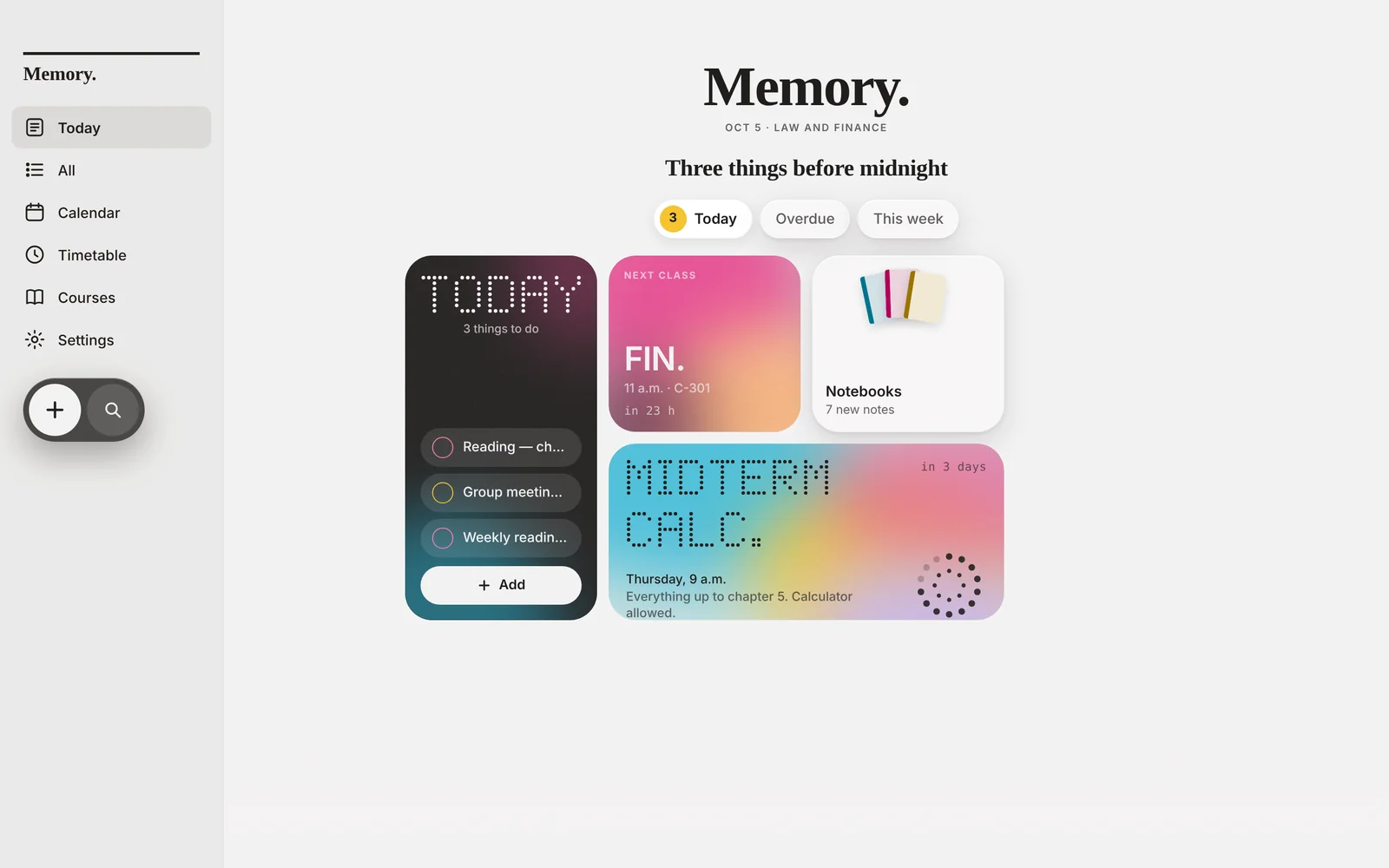
Memory's front page on a Windows computer: today's reminders, the next class and a countdown to the midterm.
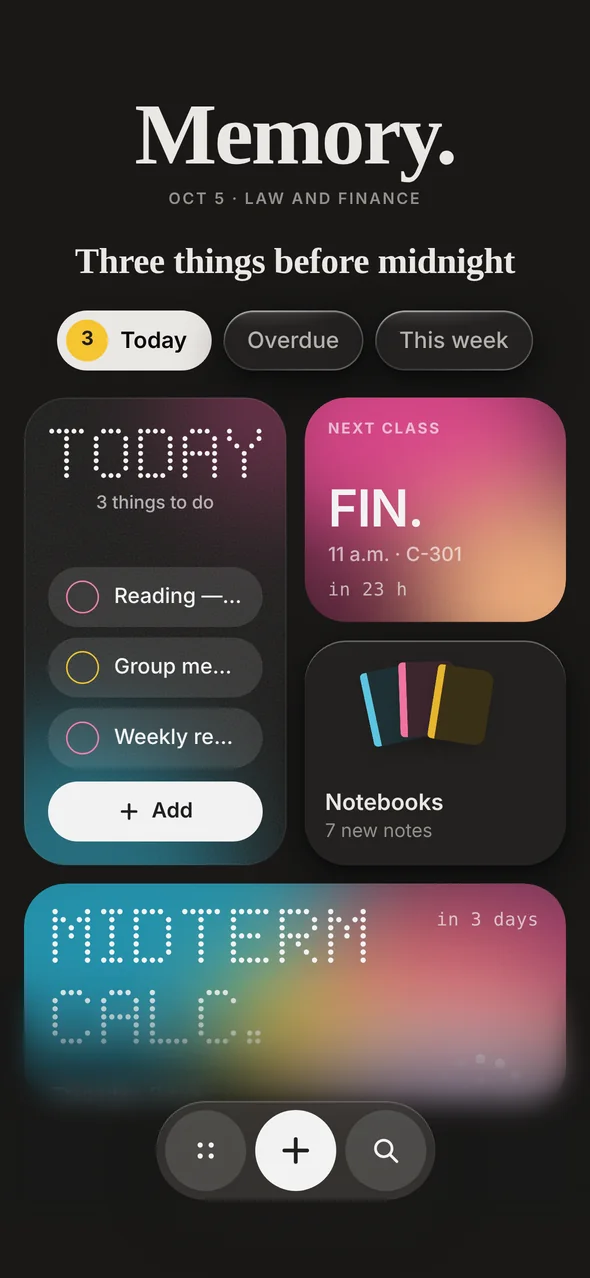
The same front page on an iPhone.

iPhoneiPadMacWindowsAndroidAny browser

The front page

Your week, printed every morning.

What's due today, what carried over and what's still ahead — laid out with widgets you choose, move and resize.

  • Add, reorder and resize every widget
  • Change its color, style and font
  • Put them on your iPhone Home Screen too
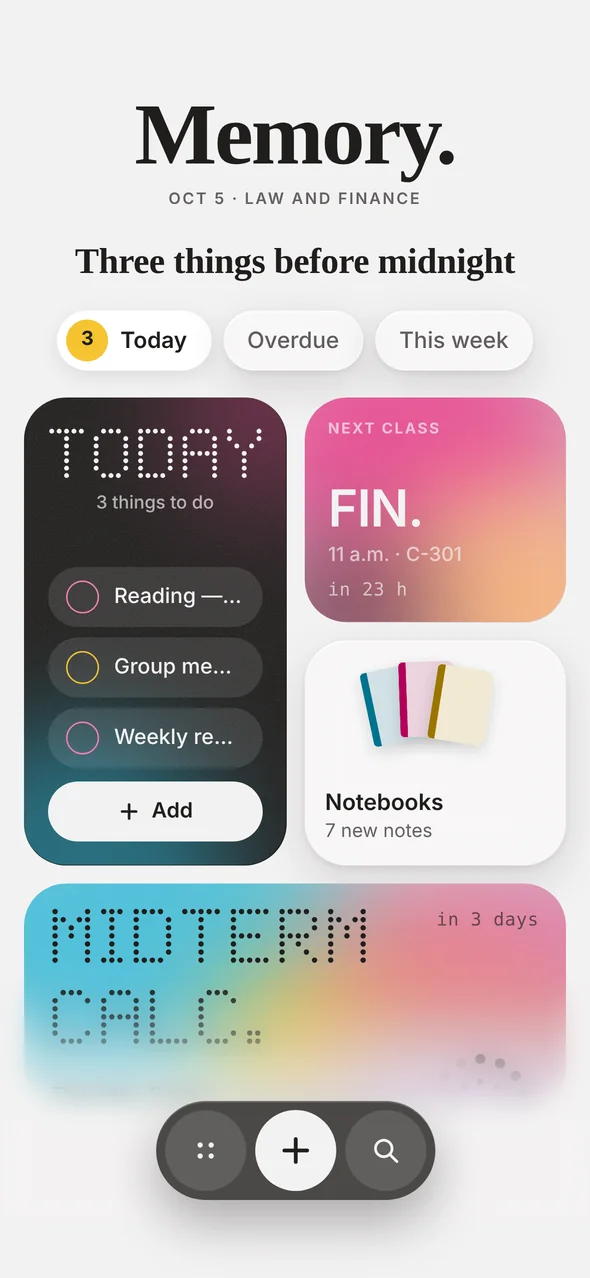
Front page, Day edition.
Front page, Night edition.
Quick add

Write it the way you'd say it.

Type “bio exam friday 5pm” and Memory works out the day, the hour and the course on its own.

ENbio exam friday 5pm ESexamen de bio viernes 5pm PTprova de bio sexta 17h

One quiet notification at the time you set. No streaks, no badges, no nagging.
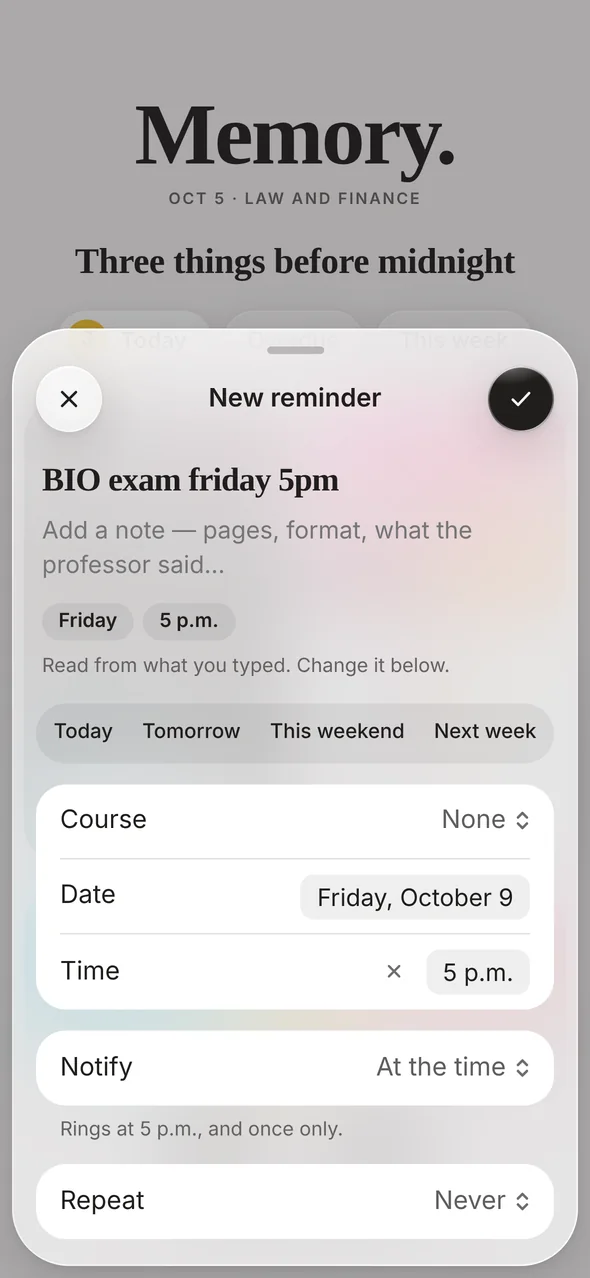
Typing “BIO exam friday 5pm”: Memory fills in Friday and 5 p.m.
Classes

Your classes, on the same page.

Put your timetable in once, rooms and hours included. Every class shows up beside the work it belongs to — and a bell rings 15, 30 or 60 minutes before it starts.

  • A week view that reads like a printed timetable
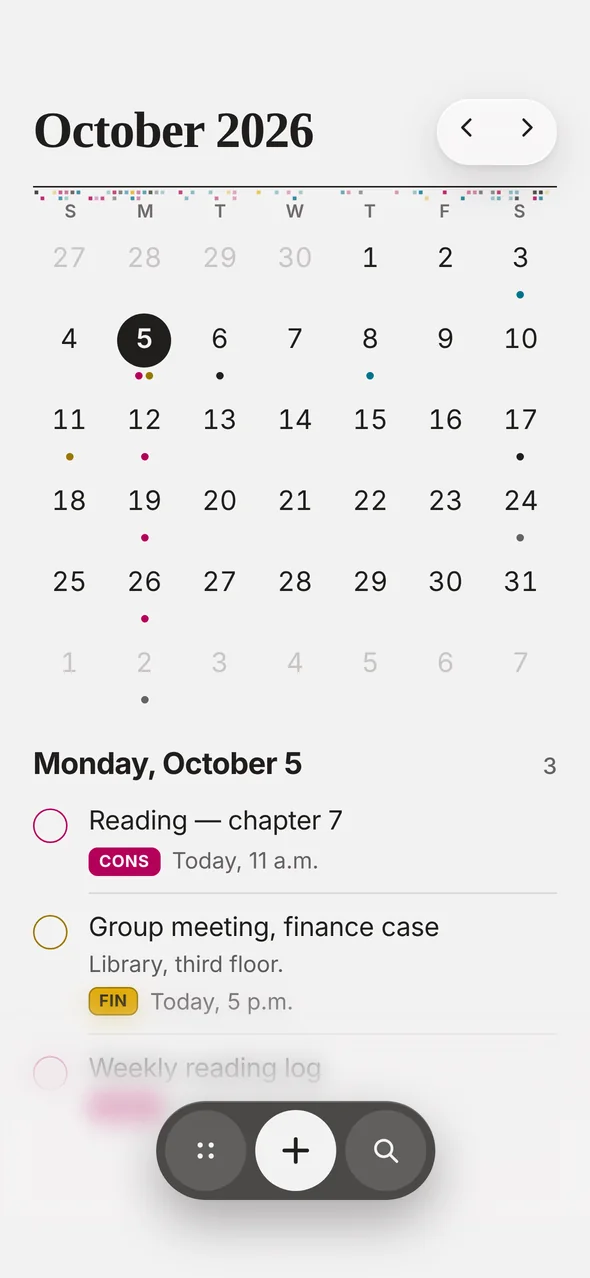
  • The month at a glance, so crunch weeks don't surprise you
  • A morning edition at 8 a.m. with the day ahead
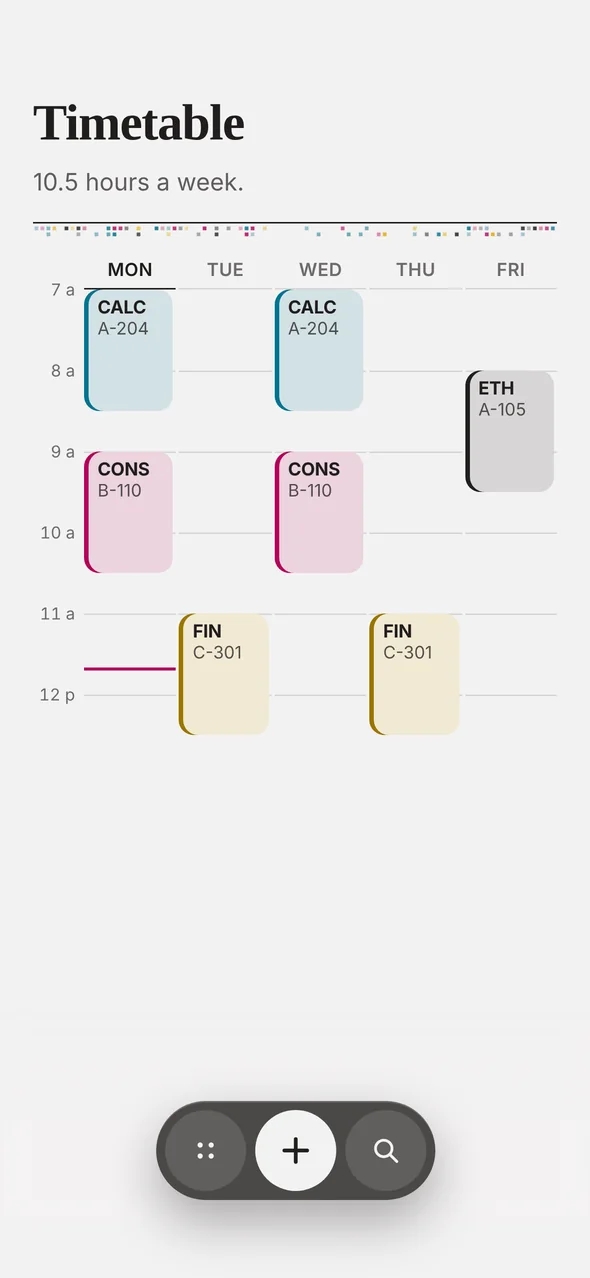
The weekly timetable with each class in its own ink.
The month calendar with the day's reminders below.
Courses & gradesPRO

Every course gets its own page.

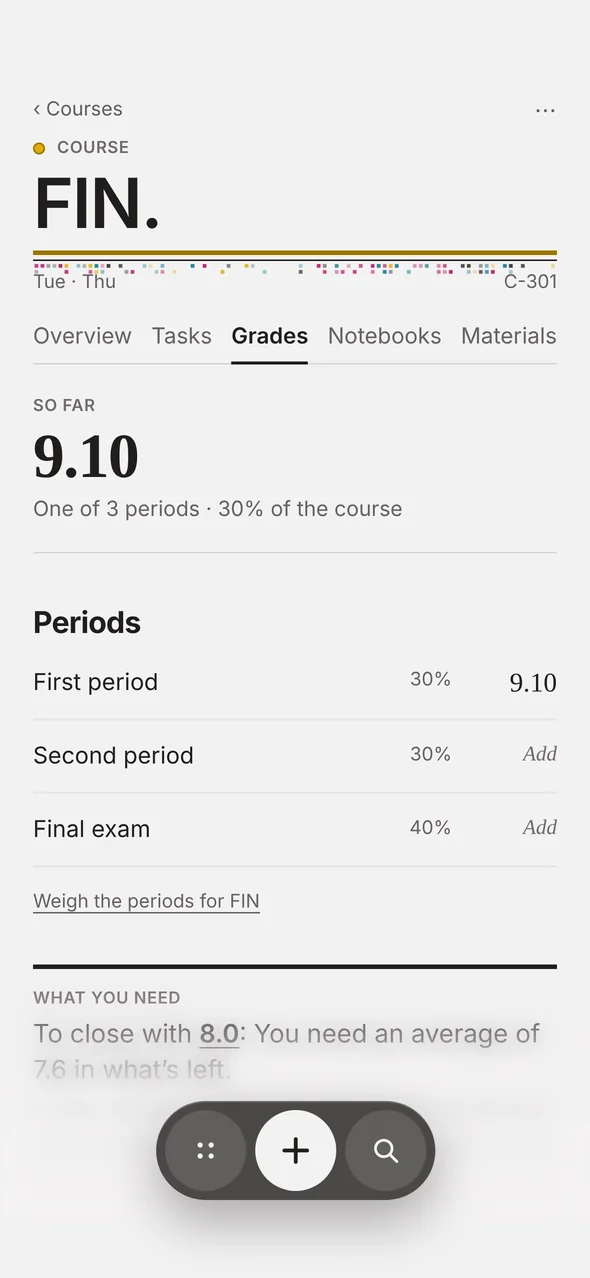
Tasks, grades and averages, files and links — all together on the page of the course they belong to. Memory keeps your average and tells you what you still need to pass.
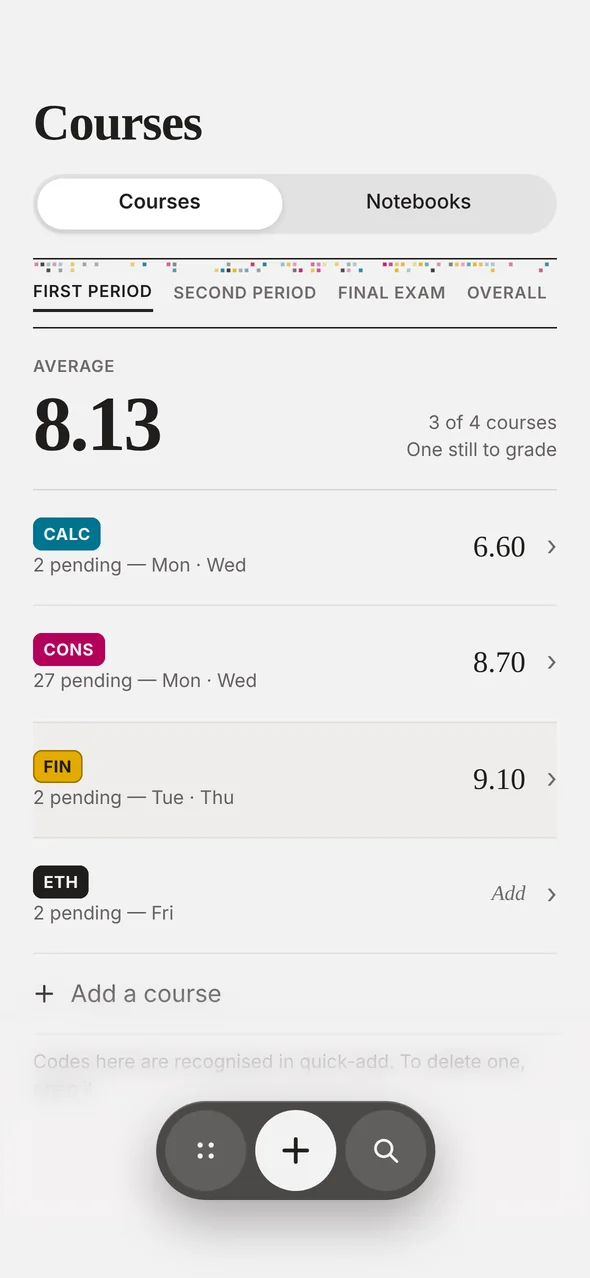
Courses with each average and the overall average.
A course's grades by period, and what you need to close with an 8.
NotebooksPRO

A notebook for every course.

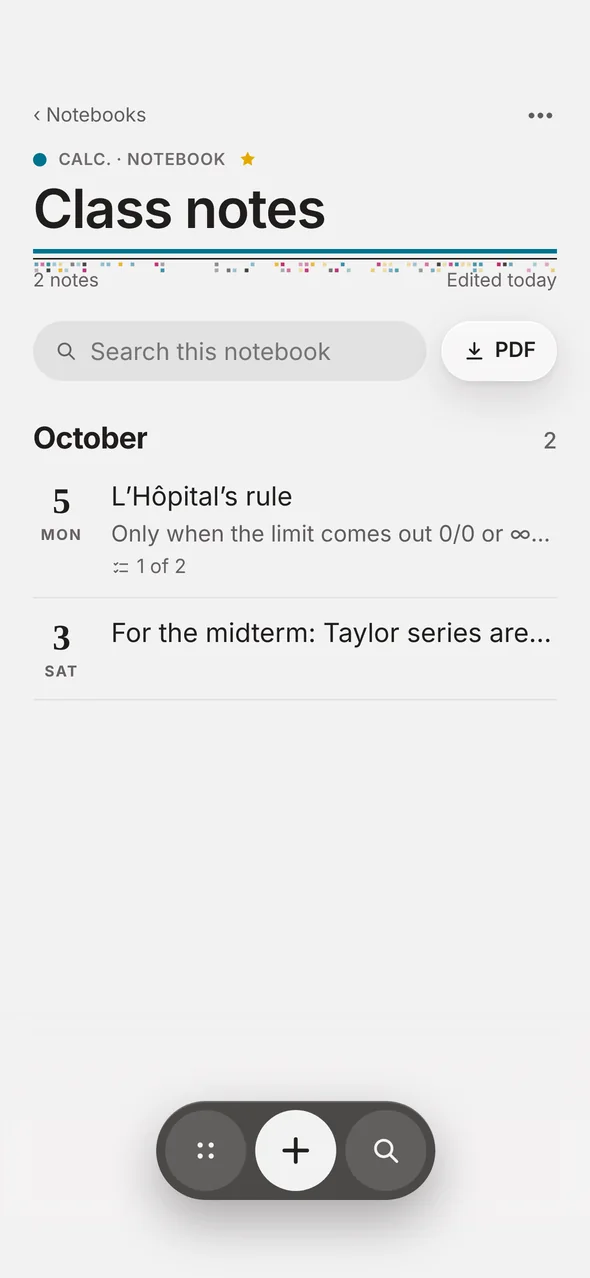
Lined, grid or dotted paper. Checklists, a photo of the board, covers and favorites — and download any note, or the whole notebook, as a PDF.
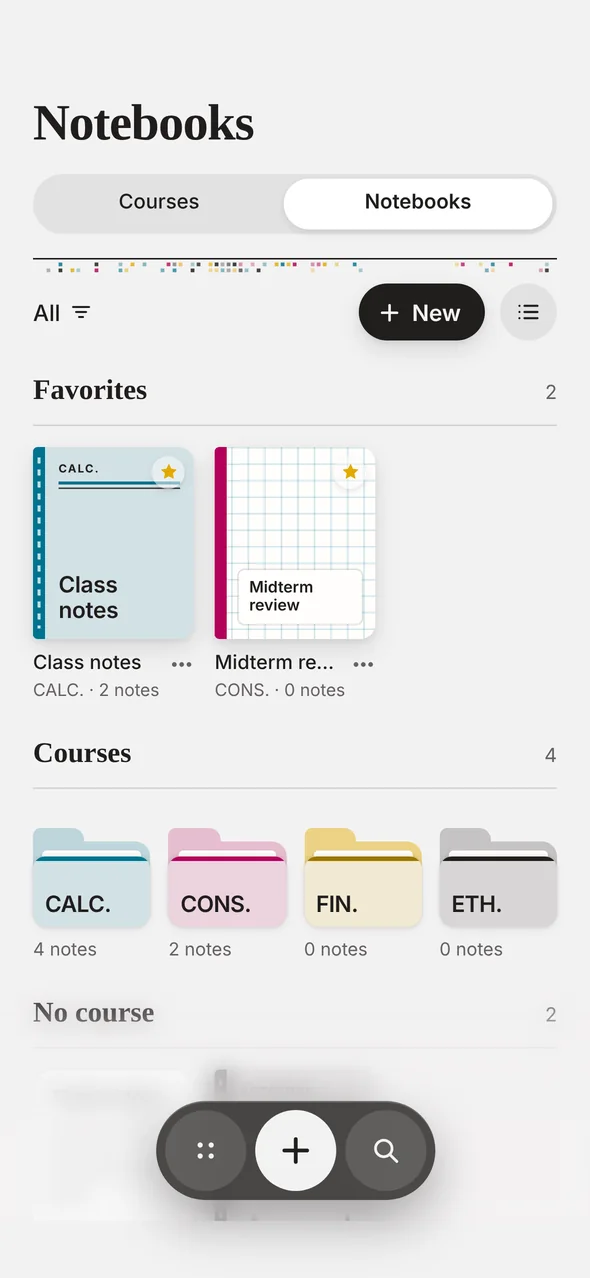
The notebook shelf: favorites and one folder per course.
A notebook's notes by date, with a PDF button.
Memory for Teaching

One app, on either side of the desk.

Tell Memory how you use it and the whole app changes — even the front page.

Everything due, on a front page you build.

Your tasks, your next class and the countdown to the midterm. Grades and a notebook for every course.

  • Courses with grades and averages
  • A notebook for every course
  • Widgets you arrange yourself

Every group you teach, with its list.

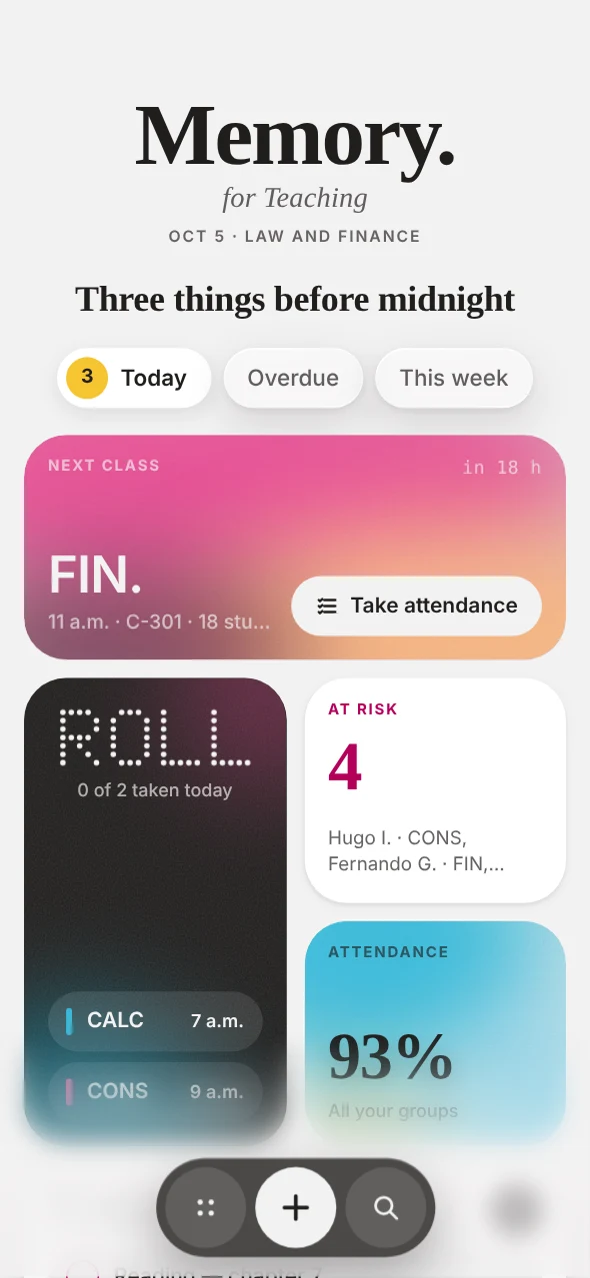
The front page becomes a teacher’s: your next group with a Take attendance button, who is missing too many classes, and attendance across all your groups.

  • Class lists for every group
  • Present, late or absent in one tap
  • Teach and study? Use both modes at once
A student’s front page: today’s tasks, the next class, notebooks and a countdown to the midterm. A teacher’s front page: the next group with Take attendance, today’s roll call, students at risk and attendance.
I studyI teach
Front pageTasks, next class, countdownNext group, roll call, students at risk
Your coursesCourses with grades and averagesGroups with their class lists
In classA notebook for every courseAttendance in a few taps
Keeping trackGrades by periodWho is missing too many classes
Timetable and class bell✓✓
iPhone, iPad, Mac and Windows✓✓
Everywhere

Day or night, in your language, on every screen.

One account on iPhone, iPad, Mac and Windows, always in sync. Memory follows your device's language, or pick one in Settings.

TodayEnglish
HoyEspañol
HojePortuguês
Aujourd’huiFrançais

Memory. Pro

The whole course, on its page.

Grades, Notebooks, Materials, widgets and Memory for Teaching. Try it free for 7 days.

Monthly

$4.99/ month

7 days free, then monthly. Cancel anytime.

Save 50%

Yearly

$29.99/ year

7 days free. $2.50 a month, billed once a year.

Lifetime

$59.99

Pay once. Yours to keep, no subscription.

Grades and averages A notebook for every course Materials: files and links Home Screen widgets Memory for Teaching

Prices in US dollars; the app shows your local price. One purchase works on every device you sign in to.

Free, for good.

Reminders and repeats, courses and timetable, calendar, the class bell and the morning edition, Day and Night, four languages and sync. No ads, no limits.

Download

Get Memory.

iPhone, iPad and Mac

Free on the App Store. Widgets and notifications included.

Download on the App Store

Windows

No installer to download. Memory installs straight from your browser.

  1. Open Memory in Edge or Chrome.
  2. Click “Install” — in the address bar, or in Memory → Settings.
  3. Find Memory in your Start menu and taskbar, with its own window and notifications.

Also on Android, Linux and Chromebook: open memoryapp.org/app in Chrome and install it.